
Artykuły / Articles

After installing Linumeric-LPT v1 from the LinuxCNC user level, no additional support is required.
See Installation of Linumeric-LPT v1
Using Linumeric-LPT in LinuxCNC looks the same as using the standard LPT port on your computer.
Connecting Linumeric-LPT to the computer
Linumeric-LPT should be connected directly to the computer's USB port. Do not use adapters, hubs, much less any USB extension cables.
Linumeric-LPT is the computer's LPT port, not the machine's USB port!
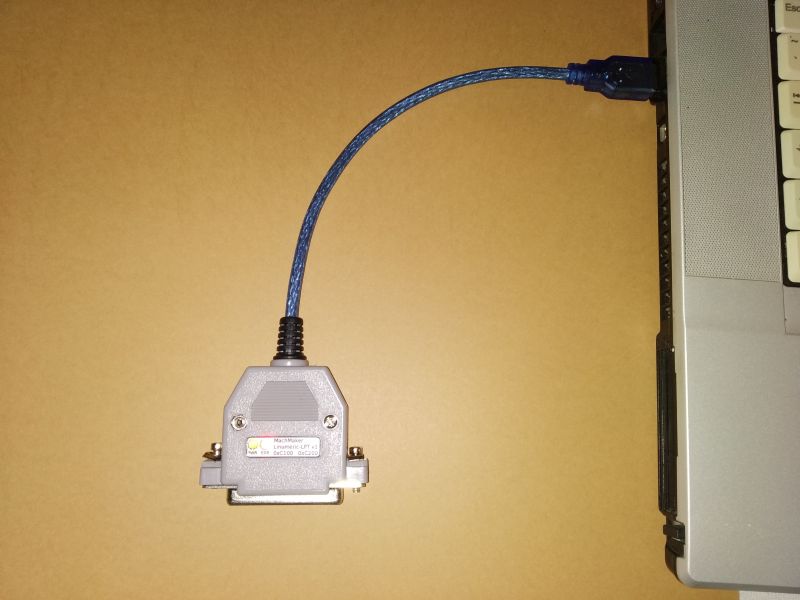
Linumeric-LPT pinouts
Linumeric-LPT has a female DB25 socket with a standard pin distribution as is the computer LPT connector.
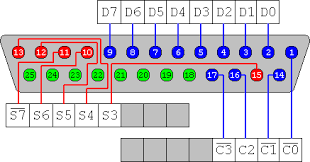
Port Status works only in input mode - pull-up enabled.
Port Data and Control can work as inputs or outputs. When configured as an input, pull-up or pull-down is automatically enabled (as selected in default settings).
Voltage levels
Input voltage range: -0.3 - 5.5V
Inputs:
Low level: 0-1.16V
High level: 1.86-5.5V
outputs:
Low level: 0V
High level: 3.3V
Pull-up: 3.3V
Each output / input has a 160 Ohm resistor connected in serial.
Motherboard for controlling the machine
As with standard LPT port control, it is recommended to use a motherboard to control the machine. The mainboard is connected to the Linumeric-LPT in the same way as to the standard LPT port of the computer. Because Linumeric-LPT has the same distribution of pins as the computer LPT port, it should work seamlessly with any motherboard that is dedicated to control via the LPT port. (voltage levels should be checked).
Base period and frequency of Linumeric-LPT operation
Linumeric-LPT can generate pulses with a period from 7.5us to 127us (150 kHz to about 7.8 kHz). Because it has a Jitter elimination system, it can work with a computer that indicates Jitter up to about 200ms for the 127us base period and 12ms for the 7.5us base period.
The LinuxCNC base period is set in the configuration-name.ini file as the BASE_PERIOD parameter and is given in units of time [ns].
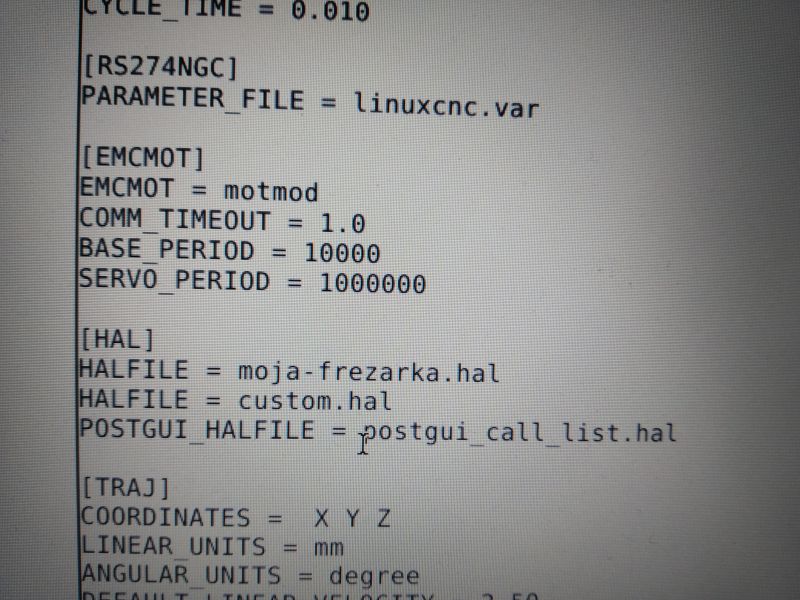
You should also check whether the DoubleStep option is enabled. More about the Double Step option can be read at:
http://linuxcnc.org/docs/html/hal/parallel-port.html
The DoubleStep feature is beneficial because it allows you to achieve twice the operating frequency with less load on the computer. DoubleStep can be enabled / disabled in the file configuration-name.hal.
If the DoubleStep function is enabled, you can set the base period in the range 15-127us for Linumeric-LPT. If the DoubleStep function is not enabled, you can set the base period in the range 7.5-127us for Linumeric-LPT.
When setting BASE_PERIOD, do not follow the rule - the lower the value, the better. This is a very misconception, because the lower the base period is, the more often the parallel port process is performed, and so the computer load increases. It is necessary to calculate exactly what base period is necessary - this is due to the number of impulses that the control must generate per unit of time at the highest frequency with which it generates.
Read inputs
Linumeric-LPT sends the status of the inputs to the LinuxCNC program each time the signal level at any input changes or an error occurs. The input reading has an additional Debouncing functionality, so the time between subsequent readings cannot be shorter than 20 ms.